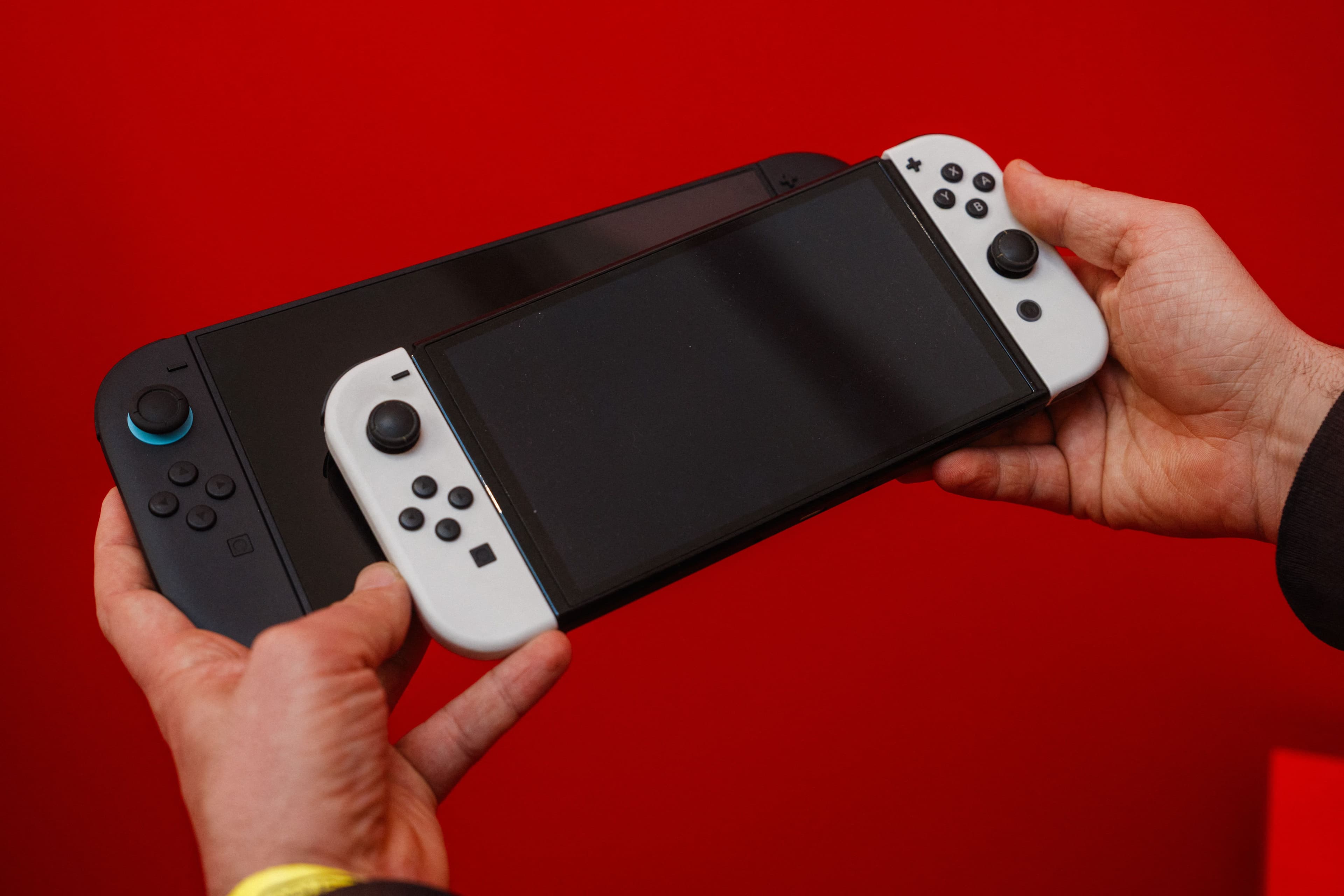
Nintendo just flipped a long-requested switch for Nintendo Switch 2 owners: system update Ver. 22.0.0 adds Handheld Mode Boost, a new option that can make many original Nintendo Switch games run in handheld “as if” the console were docked. The payoff is simple and huge—sharper visuals (often up to 1080p behavior) and potential performance gains—though the feature comes with real caveats like higher power draw, possible touchscreen limitations, and some incompatible titles.
This is the kind of quality-of-life upgrade that quietly changes how you use your library. If you’ve got a mountain of Switch games and you play mostly portable, Nintendo just made your back catalog feel a lot more “next-gen” overnight.
Handheld Mode Boost, Explained: What It Does (and Why It Matters)
Handheld Mode Boost is a Switch 2-exclusive setting that forces compatible Switch software to behave like it’s running in TV (docked) mode even when you’re playing undocked in handheld or tabletop.
That matters because a lot of Switch games have two distinct profiles:
- Handheld mode: typically targets 720p because that’s what the original Switch screen was built around.
- Docked/TV mode: often targets 1080p, sometimes with higher graphics settings or improved performance targets.
Switch 2’s built-in display is 1080p, and it has extra horsepower compared to the original Switch. Handheld Mode Boost effectively lets older Switch games take advantage of that by running their docked profile while you’re still playing portable.
In practice, that can mean:
- Sharper image quality (especially UI text and fine detail)
- Potential performance improvements in games where docked mode is tuned differently
- A better match for Switch 2’s 1080p handheld screen, instead of leaving pixels on the table
Nintendo also notes the effect varies by software. Some games won’t change much (or at all), depending on how their docked mode is implemented. And importantly: this setting has no effect on Switch 2 software—it’s specifically about improving the experience of Switch games via backward compatibility.
How to Enable Handheld Boost Mode on Switch 2
Nintendo didn’t make this a default toggle—and honestly, that’s the right call given the battery and compatibility trade-offs. You have to opt in.
To turn it on:
- Open System Settings from the HOME Menu
- Scroll down and select System
- Select Nintendo Switch Software Handling
- Toggle Handheld Mode Boost on (or off)
Once enabled, it stays on until you disable it.
Nintendo’s own description is blunt about what you’re doing here: you’re forcing TV mode operation while undocked, and that can change how games behave.
The Catch: Battery Drain, Touchscreen Issues, and Incorrect Prompts
Handheld Mode Boost is powerful, but it’s not magic—and Nintendo is unusually upfront about the compromises.
Increased power consumption
Nintendo warns that enabling the setting may increase the system’s power consumption during gameplay. Translation: expect worse battery life in many cases, because you’re asking the system to run a more demanding profile designed for docked operation.
This is exactly why players have been asking for a “plugged-in handheld boost” option for years. Nintendo’s answer now is essentially: you can have it—just accept the battery hit.
Touchscreen may be disabled
Because the game thinks it’s in TV mode, Handheld Mode Boost may prevent Switch software from using the system’s touch screen. That’s not a minor footnote; it’s a fundamental behavior change for games that rely on touch input for menus, map management, or minigames.
Joy-Con behavior changes (Pro Controller assumptions)
Nintendo also says Handheld Mode Boost will cause attached Joy-Con 2 controllers to be treated as a Nintendo Switch 2 Pro Controller. If you want to use other controllers, Nintendo instructs you to detach the Joy-Con 2 first.
That’s a very “Nintendo” workaround, but it makes sense: TV mode assumes a different controller context than handheld mode.
On-screen instructions may be wrong
Nintendo warns: “Because this option forces TV mode operation, some instructions may be incorrect or fail to operate correctly.”
If you’ve ever played a Switch game that changes button prompts or control tips depending on docked vs handheld, you already know what this means. You might be holding the system in your hands while the game tells you to do something that only makes sense when docked—or when using detached controllers.
Which Switch Games Don’t Work With Handheld Mode Boost?
Nintendo has not published an official compatibility list of blocked titles, but multiple reports indicate several games are blocked from using Handheld Mode Boost—generally those with control schemes that don’t translate cleanly to forced TV mode behavior (touchscreen and motion control-heavy titles are common suspects).
Games that have been cited as blocked include:
- Super Mario Maker 2
- Pokémon: Let’s Go, Pikachu! / Let’s Go, Eevee!
- The Legend of Zelda: Skyward Sword HD
- Super Mario 3D All-Stars
- Clubhouse Games
- Taiko no Tatsujin: Drum ‘n’ Fun!
- Pikmin 1+2
Nintendo also notes that for some games, Handheld Mode Boost may have no effect, depending on how the software handles TV mode.
The key takeaway: this is a broad upgrade for “most” Switch games, but it’s not universal—and it’s not guaranteed to improve every title.
The Rest of Switch 2 Update 22.0.0: Friend Notes, GameChat Upgrades, and More
Handheld Mode Boost is the headline feature, but Ver. 22.0.0 is a chunky firmware drop with a lot of meaningful extras—especially if you actually use Nintendo’s social features (or want them to be less clunky).
Here’s what else Nintendo added or changed on Switch 2 in Ver. 22.0.0 (released March 16, 2026):
Friend List notes (and Nintendo Switch App support)
You can now save notes about friends on your Friend List. The notes are private—they aren’t displayed to friends.
Nintendo also added the ability to see and edit these notes from the Nintendo Switch App, but you’ll need the app updated to version 3.3.0 or higher. The mobile app’s 3.3.0 update specifically calls out this feature, letting you leave notes to help identify friends more quickly, and manage them from the Friends tab or Home tab.
This is small, but it’s the kind of practical feature Nintendo’s online ecosystem has needed forever—especially for players with long lists of usernames that don’t match the people you actually know.
GameChat improvements
Nintendo added multiple features and upgrades to support GameChat, including:
- The ability to invite friends to GameChat rooms you’re participating in
- Some friends may not be invitable (e.g., supervised accounts)
- Friends who haven’t finished GameChat initial setup can now be invited
- Again, some restrictions apply (supervised accounts, or those who haven’t used a Switch 2)
- Improved quality of the game screen shared in GameChat when expanded
- Added Portuguese (Portugal) and Russian to “GameChat Voice ⇔ Speech to Text” languages in Accessibility
Nintendo also notes it may take a while after updating for some of these changes to fully reflect.
Accessibility upgrades
Beyond the GameChat speech-to-text language additions, Nintendo says Text-to-Speech can now read text in:
- Album
- During first-time setup
Media and UI tweaks
- Changed on-screen text and animations when loading a virtual game card in the HOME Menu
- Added the ability to rewind/advance 10 seconds with ZL/ZR when watching full-screen video in News or Nintendo eShop
- Added options to include more items in Automatic Uploads from Album:
- Clip Video
- Video saved as a screenshot
- Screenshot with added text
Storage visibility and audio testing
- Added a breakdown of storage capacity by data type for system memory and microSD Express card
- Added the ability to perform an audio test when “Linear PCM 5.1 Surround” is selected for TV Sound
Airplane Mode gets smarter
- Airplane Mode now saves and applies your previous preferences for Bluetooth, Wi‑Fi, or NFC
- You can individually enable/disable Bluetooth, Wi‑Fi, or NFC during Airplane Mode from Quick Settings
Parental Controls notifications
Nintendo added the ability to see a notification in the Nintendo Switch Parental Controls smart device app when the Parental Controls PIN is input successfully on the console. This can be set to push notifications, and requires the app updated to version 2.4.0 or higher.
Region label change and stability
- Changed the “Hong Kong/Taiwan/South Korea” region label to “Hong Kong/Taiwan/South Korea/South East Asia”
- General system stability improvements (the most Nintendo patch note of all time, but it’s here)
Switch Also Got Version 22.0.0 — But It’s Not the Same Party
Nintendo also pushed Version 22.0.0 to the original Nintendo Switch, but it’s a much smaller update compared to Switch 2’s feature haul.
The Switch update includes:
- Virtual game card text/animation changes
- Friend List notes (with Nintendo Switch App support, requiring app version 3.3.0+)
- Parental Controls PIN notifications (app version 2.4.0+)
- General system stability improvements
No Handheld Mode Boost, of course—that’s a Switch 2-only perk tied to the newer hardware and its 1080p handheld display.
Why This Update Is a Big Deal for Backward Compatibility
Nintendo has always sold the Switch concept as freedom: dock when you want, go handheld when you don’t. But for eight years, there’s been a persistent compromise baked into that promise—handheld often meant the “lesser” version of the same game.
Switch 2’s Handheld Mode Boost is Nintendo finally acknowledging what players have been saying forever: if the hardware can do more, let us choose to spend battery life for better visuals and performance.
And it’s not just about pixel-count bragging rights. A lot of Switch games have UI, text, and fine detail that simply reads cleaner at higher resolution. If you’ve ever squinted at small fonts in handheld mode, you already understand why “docked mode in handheld” is more than a spec-sheet bullet point—it’s comfort.
The other reason this lands so hard: it upgrades your existing library. You don’t have to wait for patches, remasters, or “Switch 2 Editions” to feel a difference. For many players, this is a free glow-up for dozens (or hundreds) of games they already own.
What Remains Unknown
- Nintendo’s official list of incompatible games has not been published, and it’s unclear how extensive the blocked list will become as more titles are tested.
- Exactly which games see performance improvements (not just resolution changes) hasn’t been formally detailed by Nintendo; the company says results will vary and some titles may be unaffected.
- How severe the battery-life impact is across different games and use cases hasn’t been quantified in Nintendo’s notes.
- The full scope of touchscreen limitations is described broadly, but Nintendo hasn’t provided a game-by-game breakdown of when touch is disabled or how it affects specific titles.